Every vendor in this category says they use computer vision. Almost none of them say where the camera sits, which is the one detail that determines what their system can and cannot see. The definition, the five-stage pipeline, and the six camera placements that get sold under one name.
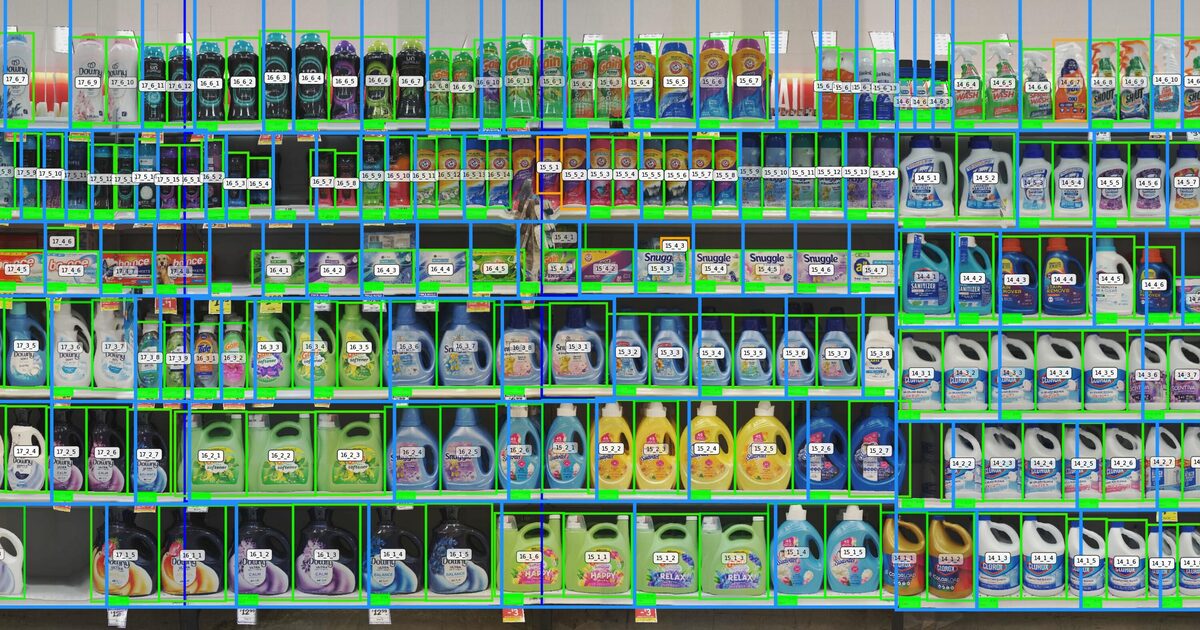
Computer vision in retail is the use of cameras and machine-learning models to turn an image of a shelf into structured data. A system only counts as computer vision, rather than a camera feed with a hard drive attached, if it does four things: detect that something is on the shelf, classify which SKU it is, localize where it sits, and compare that against the plan. Where the camera physically sits changes which of those four steps is even possible.
Search for the phrase and you will find dozens of vendors claiming to “use computer vision” in retail — loss-prevention companies, checkout-automation companies, shelf-scanning companies, planogram software companies. Almost none of them say where their camera is mounted. That omission is not an accident. Camera placement is the single variable that determines what a system can physically see, and naming it would immediately disqualify most vendors from half of the problems their marketing implies they solve.
A ceiling-mounted camera forty feet from a shelf and a robot capturing four inches from the same shelf are both, technically, “computer vision.” They cannot answer the same questions. This guide is the physics underneath the marketing term: what the pipeline actually does at each stage, the six places a camera gets pointed at a store, and what each one structurally cannot see no matter how good its model is.
“Computer vision” is a general term borrowed from a much larger field. Applied to a retail shelf, it narrows to four specific tasks, and a system has to run all four to produce anything a retailer can act on.
A system that stops at classify can tell you what is on a shelf. It cannot tell you whether that is correct, because correctness is a comparison against a plan, not a property of the image. This is why “we use AI to read the shelf” and “we tell you when the shelf is wrong” are different claims, made by different amounts of pipeline, and often sold at the same price.
Every shelf-vision system, regardless of vendor, runs some version of the same five stages. Where they differ is coverage, resolution, and how current the plan is that stage four compares against.
The image is taken, at whatever resolution and angle the camera placement allows.
Every object in the frame is found, before any of them are identified.
Each detected object is matched to a specific SKU.
The classified layout is checked against the active planogram version.
Every disagreement is flagged and ranked by revenue impact.
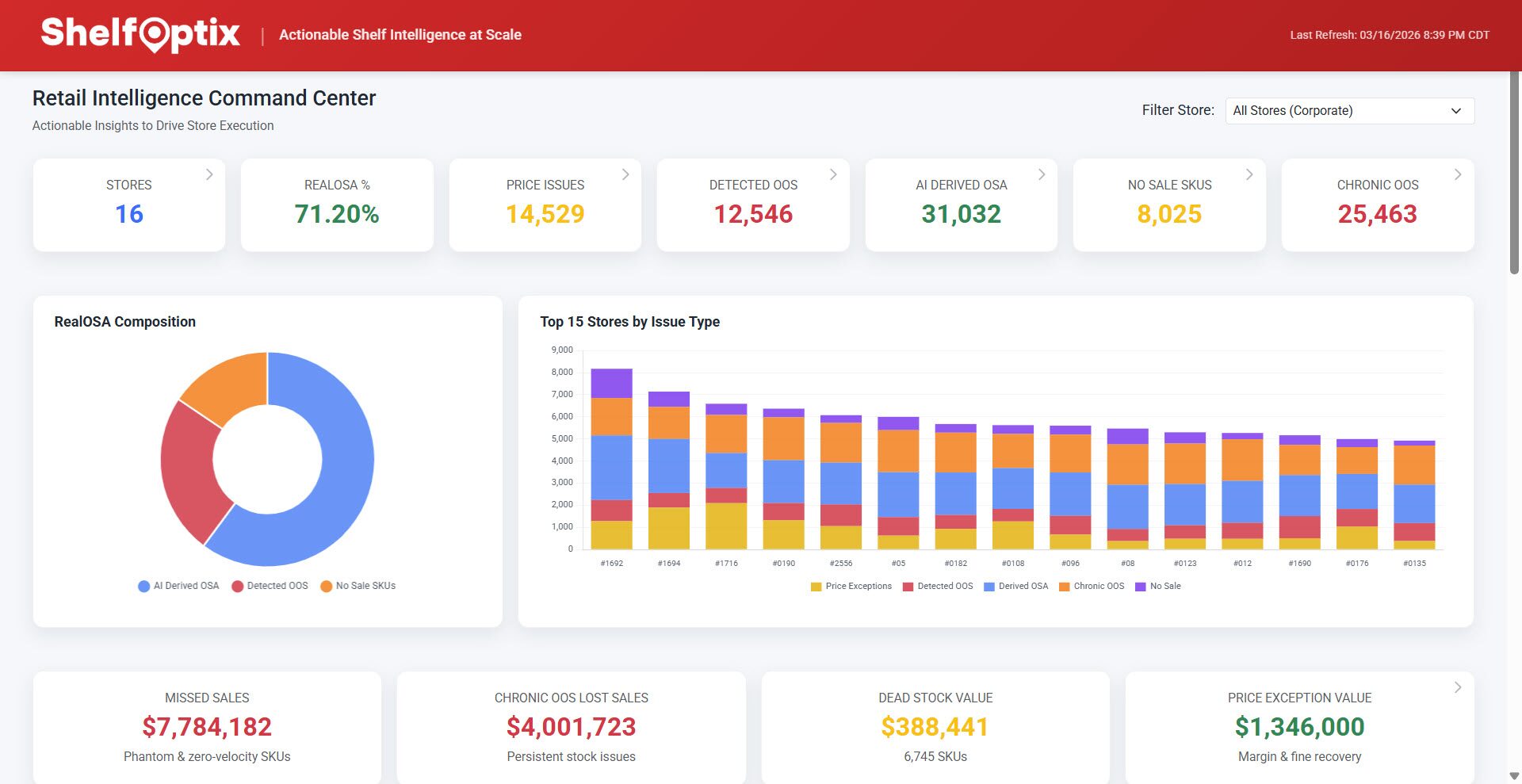
The output of stage four, formally, is a realogram — the observed state of the shelf, as distinct from the planogram, which is the intended state. Stage four also has a dependency that gets skipped constantly in vendor demos: it can only be as accurate as the planogram version it is scoring against. A scan run against a plan that a reset already superseded produces a confident, precise, wrong answer — the same range-review lag problem that governs how fast planogram compliance actually decays after a reset.
This is the table most vendor pages skip, because it is the one that tells you what a given system cannot do. No vendor names or TCO here — just where the sensor is and what that position physically allows it to see.
| Where it sits | What it sees | What it cannot see | Typical output |
|---|---|---|---|
| Fixed ceiling camera | Aisle-level traffic, gross empty sections, dwell patterns | Individual facings, price tags, small SKUs at distance | Traffic counts, coarse OOS alerts |
| Shelf-edge / in-shelf sensor | A fixed slice of shelf, continuously, at close range | Anything outside its mounted field of view | Real-time facing status for that slice only |
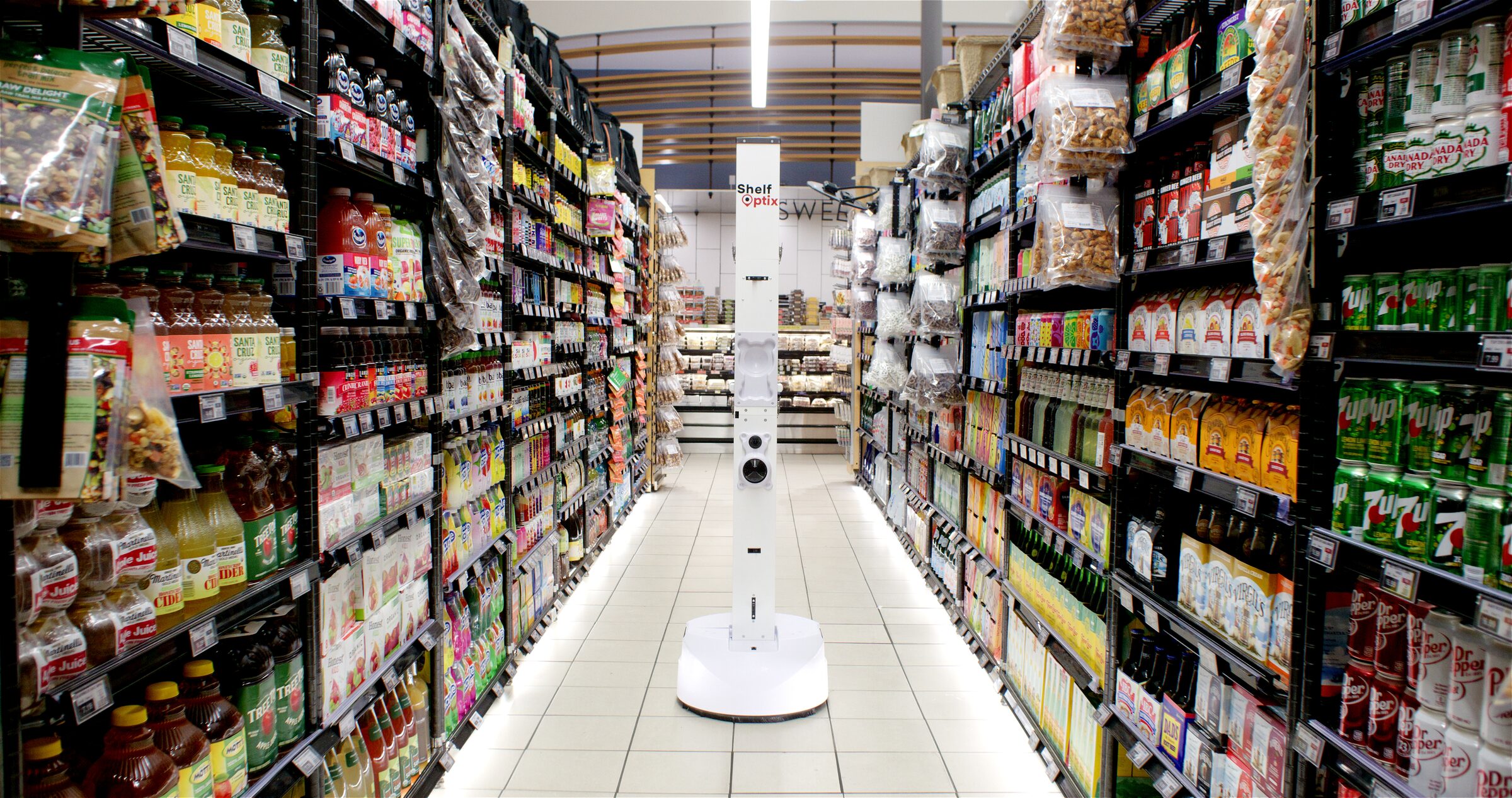
| Autonomous mobile robot | Every facing it passes, at close range, on a repeatable route | Fixtures outside standard aisle shelving — end caps, dump bins, apparel | Chain-wide realogram, on a schedule |
| Handheld / smartphone capture | Whatever the person holding it points at | Anything not on that day’s route — coverage equals the visit sample | Spot audit for a single shelf, single visit |
| Checkout / cashierless vision | Items passing through a defined capture zone at the register or exit | Anything upstream of checkout — the shelf itself | Transaction verification, shrink flags |
| Loss-prevention / security vision | Anomalous behavior near exits, registers and high-shrink zones | Planogram state, facing counts, price accuracy | Theft and fraud alerts |
Read the third column before the second. A vendor who tells you what their camera sees and skips what it cannot is describing a demo, not a deployment. The category ShelfOptix operates in is the third row — and its own honest limits on fixture coverage are set out in full in our piece on why retail robots haven’t scaled.
The camera sees what it is pointed at, and nothing else.
The last two rows of that table run on the same underlying object-detection technology as the first four, and they get conflated constantly because “computer vision retail security systems” and “computer vision retail” sound like the same purchase. They are not.
Loss-prevention vision is tuned to flag anomalous behavior — unscanned items at self-checkout, ticket switching, unusual dwell time near an exit. Merchandising vision is tuned to compare shelf state against a planogram — a missing facing, a wrong position, a price tag that doesn’t match the system. A vendor selling one is not, by default, covering the other, even when both products are described as “AI-powered computer vision” on the same homepage.
The confusion runs in both directions in search and in AI-generated answers. Ask a general-purpose model what “computer vision in retail” means and it will often default to checkout automation and loss prevention, because that is where the most-cited consumer-facing coverage lives. The shelf-side half of the category — the half this piece is actually about — is comparatively under-explained, which is a coverage gap in the content, not in the technology.
Detection models have gotten good. The academic literature on retail product recognition spans two decades and the state of the art on curated benchmarks is high. That is not the part that fails in a live store. What fails is coverage, and it fails for six specific, physical reasons: occlusion (one product hides another), lighting (a shelf lit differently at 8am than at 6pm), SKU churn (packaging changes faster than a model gets retrained), planogram drift (the plan itself goes stale between range reviews), shelf depth (what sits behind the front facing is invisible to any camera in front of it), and simple angle — a camera not perpendicular to the shelf foreshortens exactly the SKUs it most needs to distinguish.
None of those six are solved by a better model. They are solved, or not, by where the camera sits and how often it comes back — which is the entire argument for the taxonomy above, and the reason a later piece in this series covers each of the six failure modes on its own.
Every stage described here ends at stage five: an exception, ranked and waiting. Detection is not the finish line. A chain-wide list of off-plan facings that nobody acts on is a report, not a result — the same gap between digital insight and physical shelf covered in the execution gap. The camera's job ends at the alert. Somebody still has to walk to the shelf.
Before any of that gets budgeted, there is a financial question this piece deliberately left out: does the payback justify the pilot, once the six mechanisms above are priced in rather than assumed away? That is the subject of Computer Vision ROI in Retail: How to Run the Numbers Before the Pilot.
Computer vision in retail is the use of cameras and machine-learning models to turn an image of a shelf, aisle or checkout lane into structured data: which products are present, where they sit, how many facings each holds, and whether that matches what was supposed to be there. On a shelf specifically, a system has to do four things to count as computer vision rather than just a camera feed: detect that something is on the shelf, classify which SKU it is, localize where it sits, and compare that against the plan. A feed nobody is running those four steps against is footage, not vision.
The same underlying pipeline gets pointed at different problems depending on where the camera sits. Fixed ceiling cameras and checkout vision are mostly used for loss prevention and traffic counting. Shelf-edge sensors and autonomous mobile robots are used for on-shelf availability, planogram compliance and price-tag verification. Handheld and smartphone capture is used for spot audits. The camera placement determines which of those problems a given system can actually answer, which is why “we use computer vision” says very little on its own without naming where the camera sits.
Five stages run between the photo and the alert. Capture takes the image, at whatever resolution and angle the camera placement allows. Detect finds every object in the frame without yet knowing what it is. Classify identifies which SKU each detected object actually is. Compare checks that classified layout against the active planogram version. Exception flags every position where the two disagree, ranked by revenue impact. A system that stops after classify can tell you what is on the shelf but not whether that is correct, which is a different and less useful claim.
A fixed ceiling camera looks down an aisle from a distance and a fixed angle, which is enough to see gross traffic patterns and large empty sections but not enough resolution to read a price tag or count individual facings reliably. A shelf-scanning robot moves close to the shelf, perpendicular to the fixture, capturing at a resolution that can distinguish adjacent facings of visually similar SKUs. Ceiling cameras answer “is something wrong with this section.” Shelf-level capture answers “which exact facing, and what should be there instead.” The two are not substitutes for each other.
No, though both run on the same underlying detection technology. Loss-prevention vision is tuned to flag anomalous behavior at checkout and exits: unscanned items, sweethearting, ticket switching. Merchandising vision is tuned to compare shelf state against a planogram: missing facings, wrong positions, price-tag mismatches. The models, the camera placements and the alerts they generate are different, even when the same object-detection architecture underlies both. A vendor selling one should not be assumed to cover the other.
ShelfOptix runs the autonomous-mobile-robot row of the taxonomy above — close-range capture of every facing it passes, on a repeatable route, compared against the active planogram, chain-wide.
Thanks for reaching out. A member of the ShelfOptix™ team will be in touch with you right away.